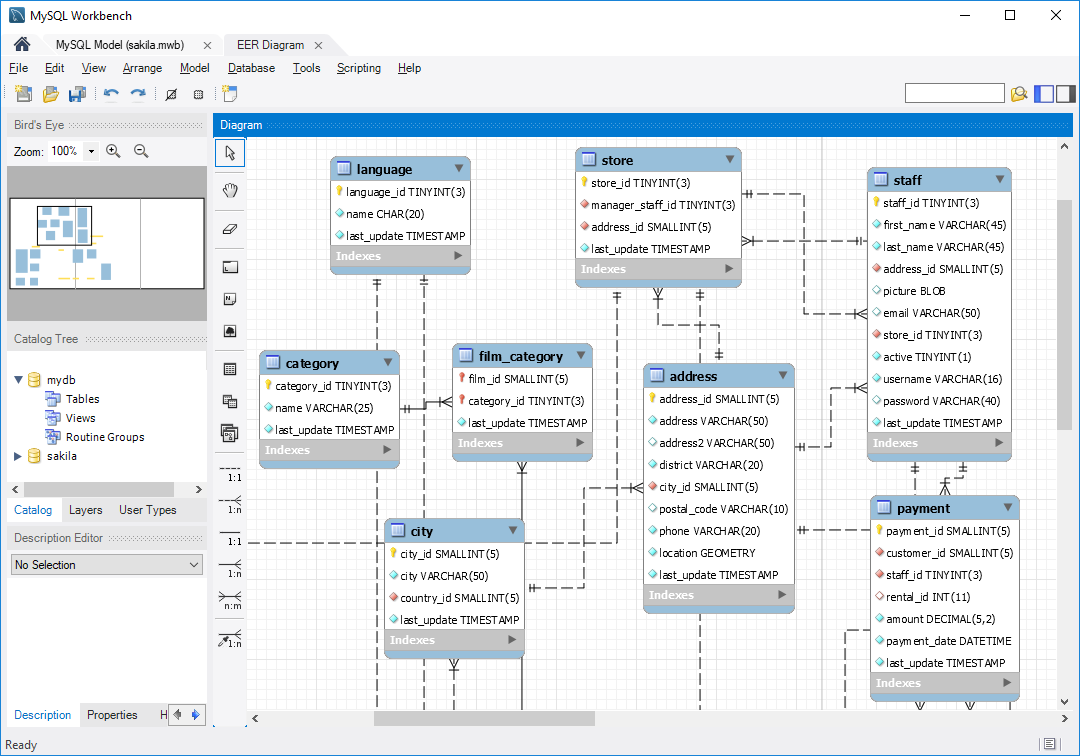
Create ER Diagram From Existing Database Mysql Workbench

Mysql Workbench Create Er Diagram ERModelExample

Create ER Diagram From Existing Database Mysql Workbench – It is believed that the ER Diagram can be a great tool in data mining. It allows users to see complicated relationships in a straightforward format. The fundamental steps are identical wherever you work. One of the first steps is identifying “what” your system is. A rectangle is the symbol of the entity and needs to be provided with plenty of room. Incorporate … Read more

ER Diagram Mysql Workbench Tutorial

Mysql Workbench Create Er Diagram ERModelExample

ER Diagram Mysql Workbench Tutorial – The ER Diagram can be a useful tool for data mining. This is because it lets the visualization of complex relationships in a simple format. The fundamentals are the same regardless of where you’re working. The first step is identifying “what” your system is. A rectangle is the symbol of the entity and needs to be provided with ample space. Incorporate ovals as attributes and connect them … Read more

Mysql Workbench Create ER Diagram From Existing Database

Mysql Workbench Create Er Diagram ERModelExample

Mysql Workbench Create ER Diagram From Existing Database – It is believed that the ER Diagram can be a excellent tool for data mining. This is because it allows you to visualize complex relationships in a simple format. The fundamental steps are the identical wherever you work. First, you must identifying “what” your system is. A rectangle represents the entity and should be given ample space. Then, you can insert ovals for attributes … Read more

Create Database From ER Diagram Mysql Workbench

Mysql Workbench Create Er Diagram ERModelExample

Create Database From ER Diagram Mysql Workbench – The ER Diagram can be a useful tool for data mining. It allows you to display complicated relationships in a straightforward format. The fundamental steps are identical wherever you work. It starts by identifying “what” your system is. A rectangle represents the entity, and it should be given ample space. After that, add ovals to represent characteristics and connect them to the entity. Then, leave some … Read more

Create ER Diagram From Mysql Workbench

How To Create Tables And Schema Direclty From An ER

Create ER Diagram From Mysql Workbench – The ER Diagram can be a great tool in data mining. This is due to the fact that it allows you to show complicated relationships in a straightforward format. The fundamental steps are the identical regardless of the place you’re working. It starts by to determine “what” your system is. A rectangle is the symbol of the entity, and it should be … Read more

Create ER Diagram From Mysql

Mysql Workbench Create Er Diagram ERModelExample

Create ER Diagram From Mysql – It is believed that the ER Diagram can be a great tool in data mining. This is because it allows you to show complicated relationships in a straightforward format. The fundamentals are the same no matter where you’re working. One of the first steps is to determine “what” your system is. A rectangle represents the entity and should have plenty of room. After that, add ovals … Read more

Generate ER Diagram Mysql Workbench

Mysql Workbench Create Er Diagram ERModelExample

Generate ER Diagram Mysql Workbench – The ER Diagram can be a fantastic tool to use in data mining. This is because it lets you to display complex relationships in a simple format. The fundamentals are the identical regardless of the place you’re working. The first step is to determine “what” your system is. A rectangle represents the entity and needs to be provided with plenty of room. After that, add ovals … Read more

Create ER Diagram Mysql Workbench

Mysql Workbench Create Er Diagram ERModelExample

Create ER Diagram Mysql Workbench – The ER Diagram can be a powerful tool in data mining. This is because it lets you to show complicated relationships in a straightforward format. The fundamental steps are same no matter where you’re working. One of the first steps is identifying “what” your system is. A rectangle is the symbol of the entity and should be given ample space. Then, insert ovals for attributes and connect … Read more

Create Database From ER Diagram

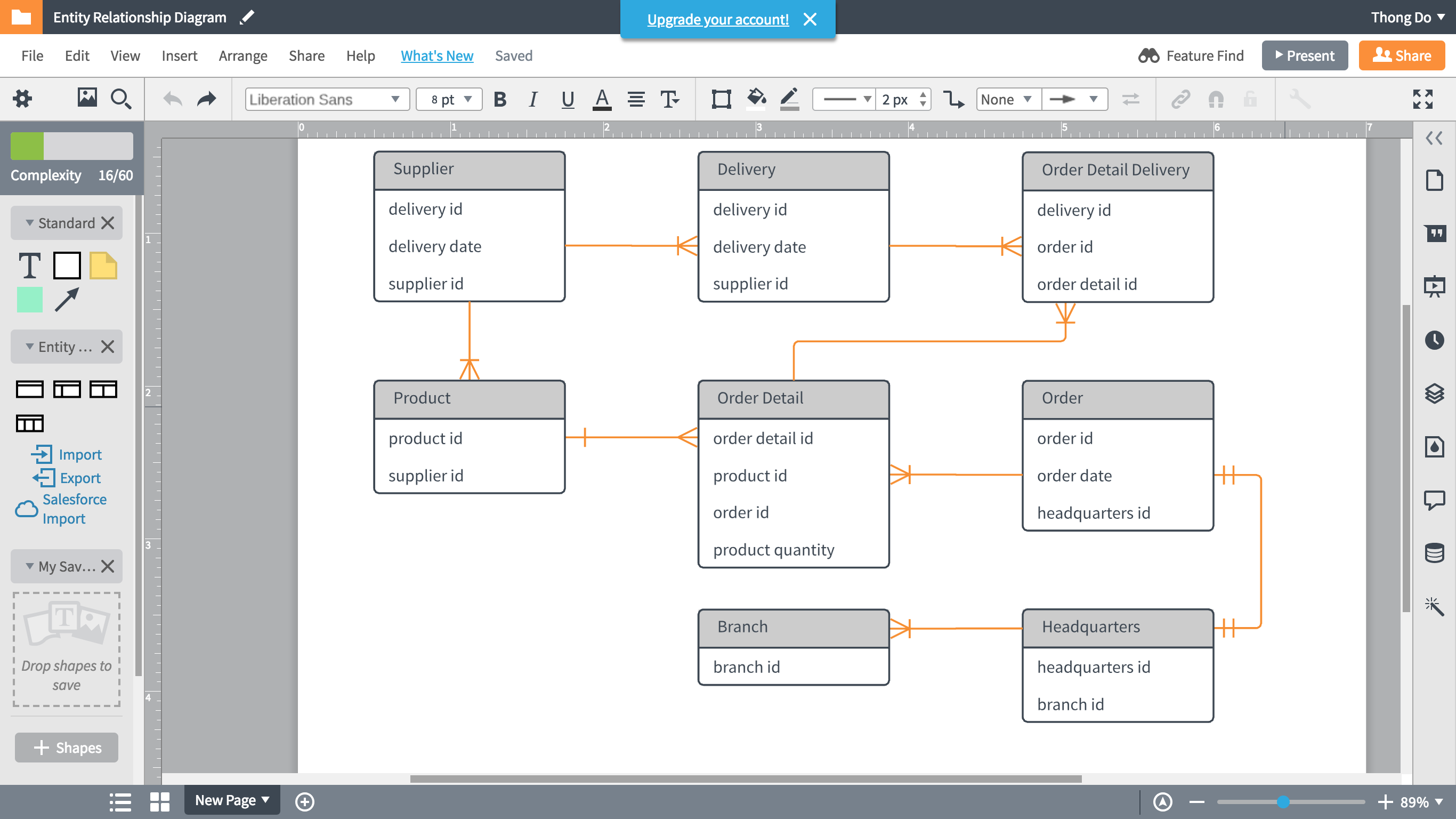
Microsoft Er Diagram Tool ERModelExample

Create Database From ER Diagram – The ER Diagram can be a fantastic tool to use in data mining. This is due to the fact that it allows you to visualize complicated relationships in a straightforward format. The fundamental steps are identical wherever you work. It starts by identifying “what” your system is. A rectangle represents the entity, and it should be given plenty of room. Add ovals to the attributes and … Read more

Create Database ER Diagram

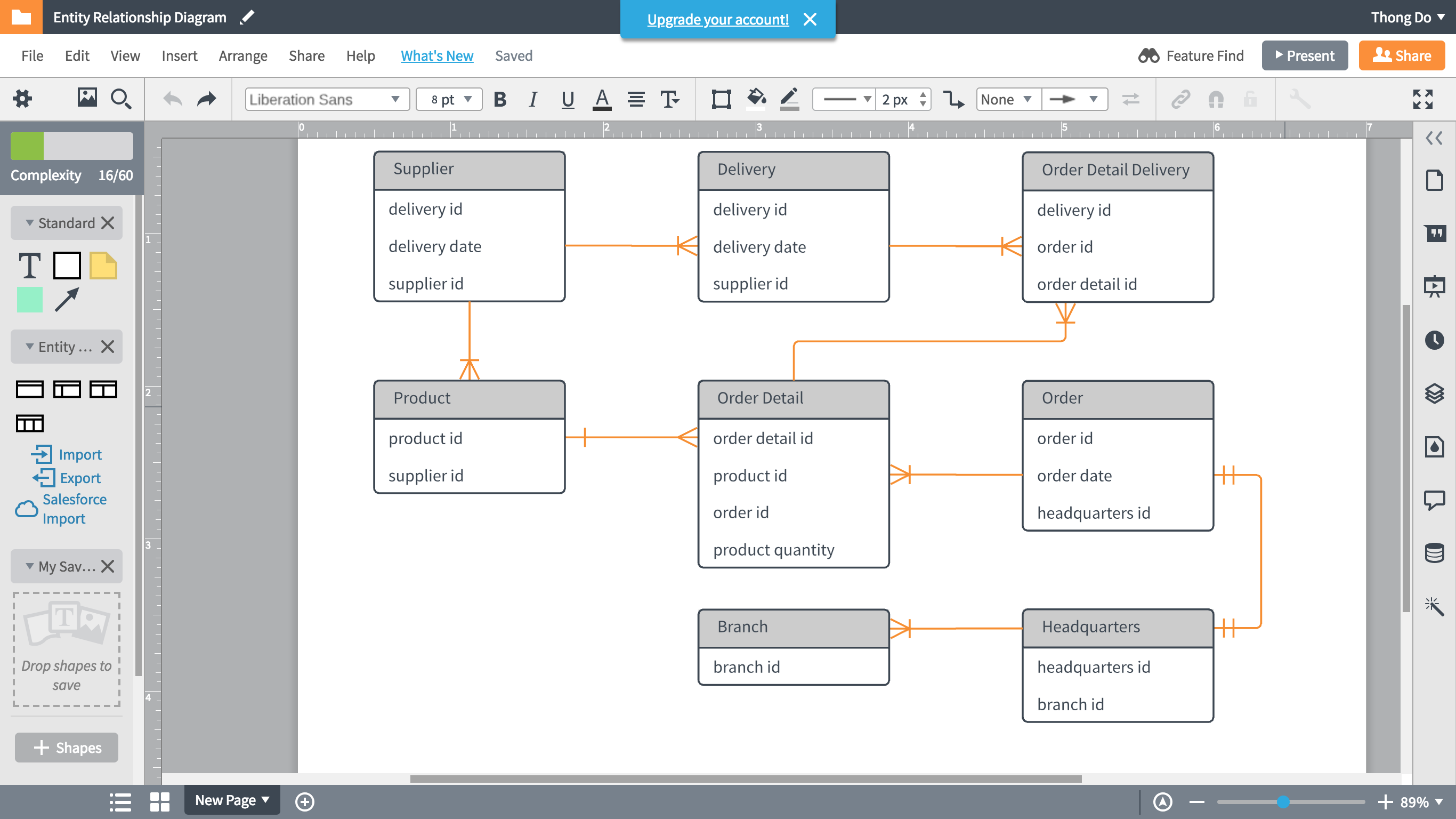
Microsoft Er Diagram Tool ERModelExample

Create Database ER Diagram – The ER Diagram can be a powerful tool in data mining. This is because it allows you to visualize complex relationships in a simple format. The fundamental steps are identical wherever you work. One of the first steps is identifying “what” your system is. A rectangle represents the entity and must be given ample space. Incorporate ovals as characteristics and connect them to the entity. Leave a little space between each rectangle. … Read more